|
Span versus DivWhat is the difference between <span> tag and a <div> tag? The main difference is that a <span> tag is an inline element and <div> tag is a block element. To demonstrate what this means, replace the <span> with a <div> tag...
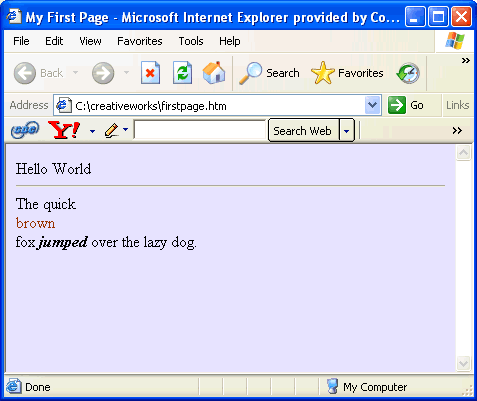
And see that you get ...
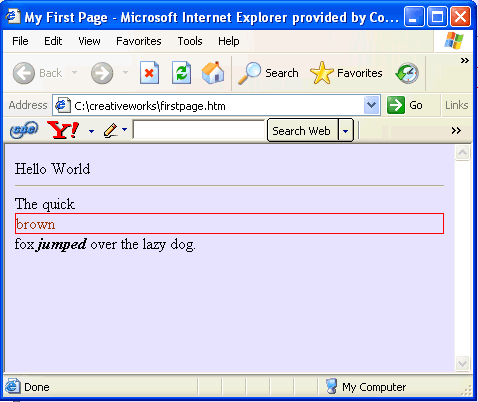
The <div> tag takes as much of the width of the page as it can. It blocks out the whole section of the page, so that anything following it has to go to the next line beneath it. The <span> tags takes as little space as possible, only enough to contain its contents. For the purpose of illustration, I have put a border around the element so that you can see the difference. Here it is using a div tag...
And here it is using a span tag...
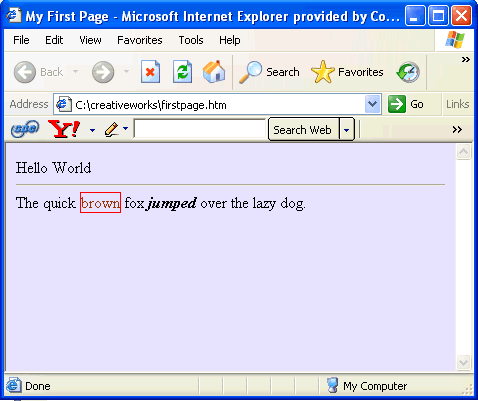
I like it better with the span tag, so remove the div tag and put back the span tag so that your code looks like ...
As another example, note that the <p> tag is a block element; while the <strong> tag is an inline element. So now you can see the difference between an inline element and a block element. Next TimeHere is what we have so far: firstpage.html We will continue working more with firstpage.html in the next lesson where we will learn about fonts.
|
 |
 |
| Roadmap | Lessons | Tutorials | Videos | Books | Links | About |
|
|