|
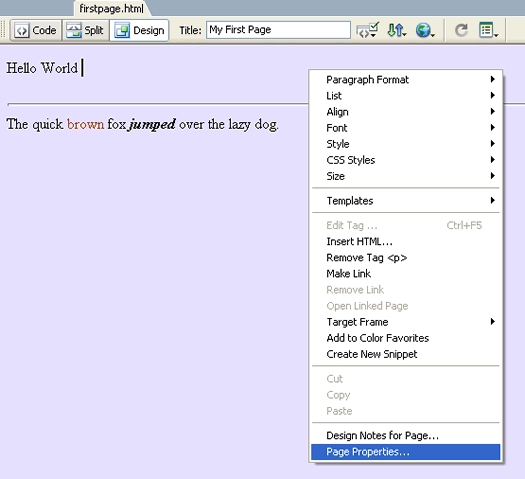
Font-FamilyContinuing from the last lesson, open up firstpage.html in the design view. The default font the you see currently on your page is the default serif type font. Let's change our font to a non-serif font such a Verdana. In the design view, right-click and select Page Properties...
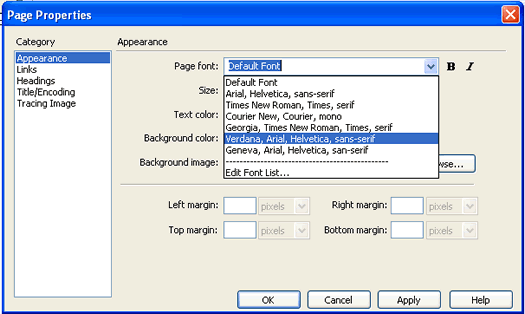
In the Page Properties dialog under the Appearance category, set the Page Font to Verdana and click OK.
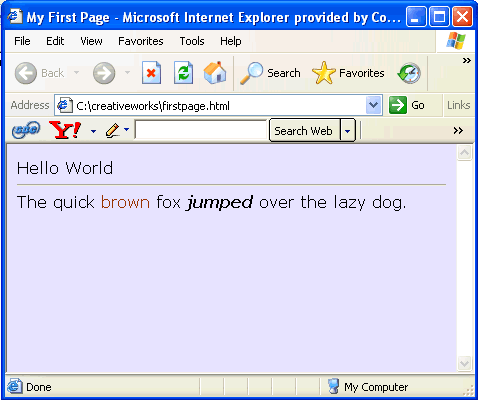
When you test the page, notice how the non-serif font below is different from the serif font above.
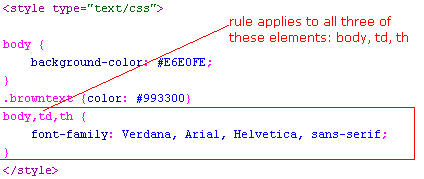
What you set in the Page Properties dialog applies to the whole page. So when you look at the code view, it would not be too surprising that a CSS rule was added to the <body> tag.
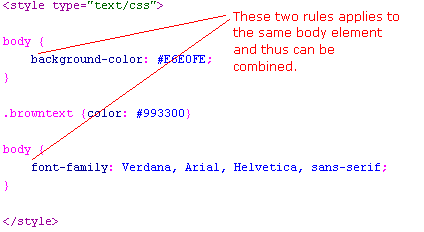
Actually, this CSS rule applies to the <body> tag, the <td> tag, and the <th> tags. The <td> and <th> tags are used by <table> elements which we don't have on our page. So we will get rid of it, and you are left with ...
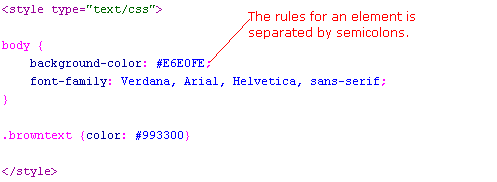
Since we now have two rules that applies to the same element (see above), we can combine them into one (as below) ...
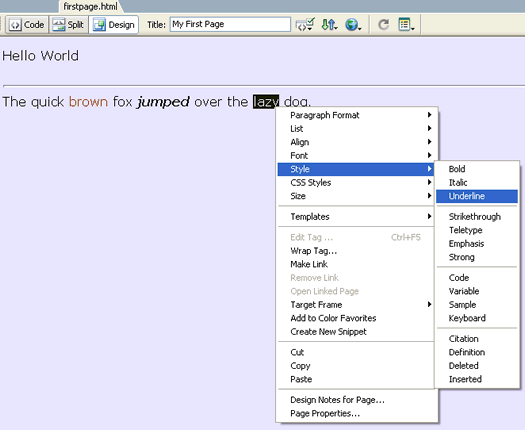
Combining rules is prefered because less text in your file means faster download of your pages. For the value of our font-family property, we have serveral fonts listed: Verdana, Arial, Helvetica, sans-serif. This means that if the user's computer has the Verdana font installed, the browser will render the text in that font. If not, the browser will try Arial font, and then try Helvetica. If all else fails, the browser will render it in a generic sans-serif font. Underlining TextTo bring up a point, let's now try underlining the word "lazy" by highlighting and right-clicking it design view.
And see that it generates the <u> tag.
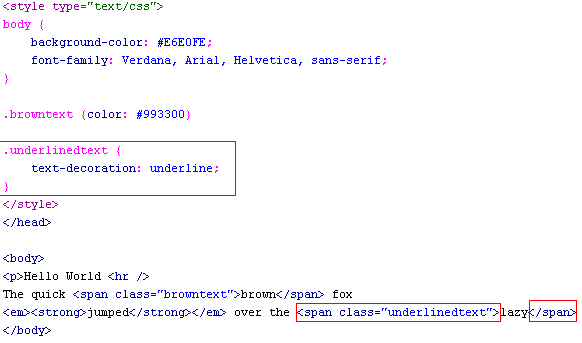
This is not good, because the <u> tag is deprecated, which mean that "it will work, but you should not use it because there are better alternatives ". For example, you can use the following CSS style instead...
where underlinedtext is an arbitrary name that I came up. You really shouldn't underline normal text anyways; because from an usability standpoint, they get confused with links. If it really is a link, then it gets underlined by default without us needing to stylize it. I'll show you how to create links in a later section. Notice the dot in front of the words underlinedtext and the dot in front of the browntext in the above code. The dot is known as the class selector. Those CSS rules that has these dot will look for element of that class. In other words, the .underlinedtext selector rule applies to all elements of class "underlinedtext". And looking at the code above, the <span> tag is of class "underlinedtext" because it has the "class" attribute of value underlinedtext. More Deprecated ElementsHere are more deprecated elements that we should not use. The <font> tag is a deprecated tag. Before the days of CSS, the <font> tag is used to stylize text. But now it is such bad practice to use the <font> tag that I will not even show you an example of it (least you fall into its trap). You have already seen the preferred way of stylizing text via CSS properties such as font-family, color, etc. And we will learn more later. In the next lesson, we will learn about Lorem Ipsum and get exposed to your first CSS rule.
|
 |
 |
| Roadmap | Lessons | Tutorials | Videos | Books | Links | About |
|
|