Once you have learned the basic FTP, it is time to learn how to use SFTP. The correct term for this is SSH File Transfer Protocol (but loosely referred to as Secure FTP or SFTP). It means that connection password and data is transmitted securely over the internet in encrypted form. This is different from regular FTP where data is transmitted without encryption, and a hacker with packet sniffer can intercept your data. Hacker can still intercept bits from Secure FTP, the difference is that the bits are encrypted.
We'll show you have to use SFTP using FileZilla for Windows. (Mac users can try CyberDuck).
To connect using secure SFTP using FileZilla

Step 1: Click the File icon
Step 2: Click "New Site" and give it a name
Step 3: Enter the domain name
Step 4: Select "SFTP over SSH2" (Version 2 of the SSH protocol is the most often used).
Step 5: Select "Normal" login type
Step 6: Enter username and password
Step 7: Click Connect
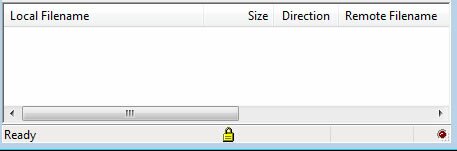
To ensure that you are connected via SFTP, you should see "initializing SFTP connection" in the Filezilla console and see a lock icon in the FileZilla status bar ...
Not Working?
You need SSH access in order to use SFTP over SSH. Not all webhost will provide this access. Others may provide SSH, but you have to explicitly apply for it. Try connecting using regular FTP. If regular FTP work, but FTP over SSH does not, then contact your webhost about SSH access.