|
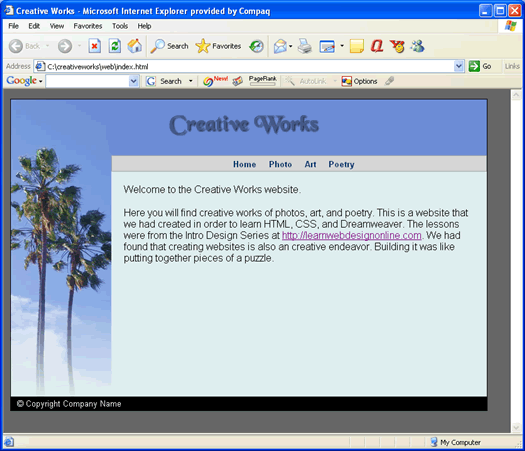
Remaining PagesWe now have a completed webpage of the index.html file.
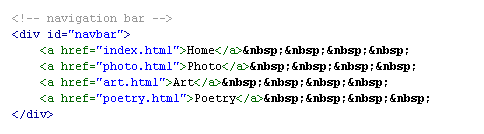
The next thing we want to do is to build the other three pages: photo.html, art.html, and poetry.html. These are the filenames that were linked to in the navbar...
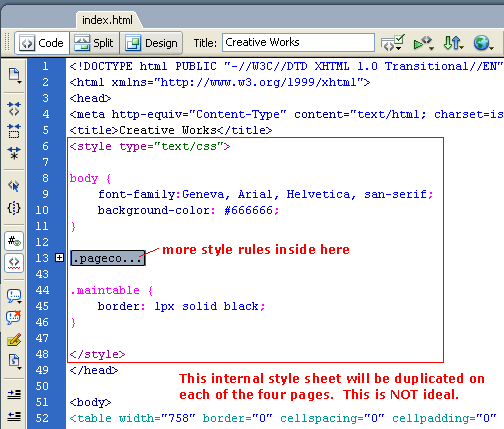
Actually, we don't really have to build those three pages. Since they are essentially the same as index.html, we simply will duplicate them from index.html and change its content. However, note that this means that the internal style sheet at the top of index.html will now be present in the other three pages as well. This is not good.
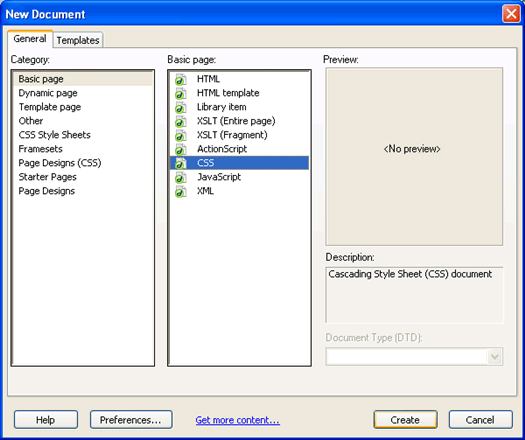
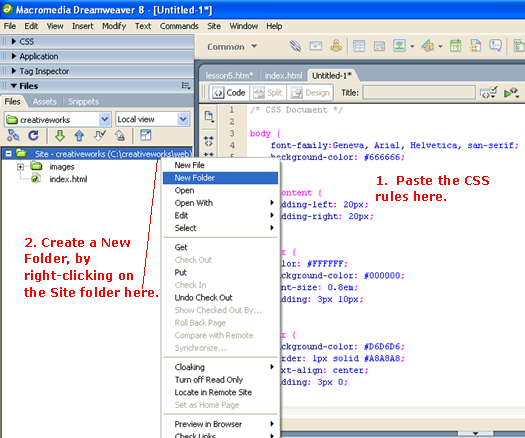
In the programming world, it is always good practice to avoid code duplication. Imagine if you will... Let's say that you did duplicate the file with the styles in it. Now later on we decided to change on of the styles (such as the font-family of the body tag to be Georgia instead of Geneva). You would then have to make the change to that rule at the top of all four files. What if this was a site with a hundred files. It would be a lot of work to make the change. Plus all that duplicated CSS code in each of the file will slow down the page downloads and increase bandwidth. What we can do to avoid code duplication is to take all those style rules and separate it out from index.html file. We will put those style rules in an separate CSS file (also known as an external style sheet). Do a File -> New and create a new CSS file as shown...
Copy and paste the CSS rules from the index.html file to the new untitled file. Make sure you copy only the rules and not the style tag.
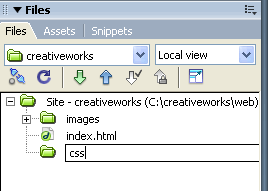
Create a new folder called css
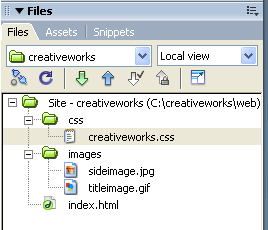
Save the new file as creativeworks.css into this css folder.
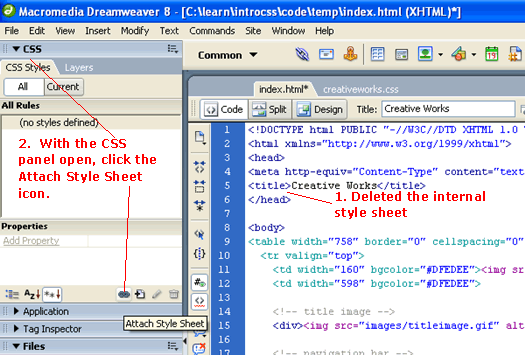
Now go back to the code of the index.html file. Delete the internal style sheet so that it looks like ..
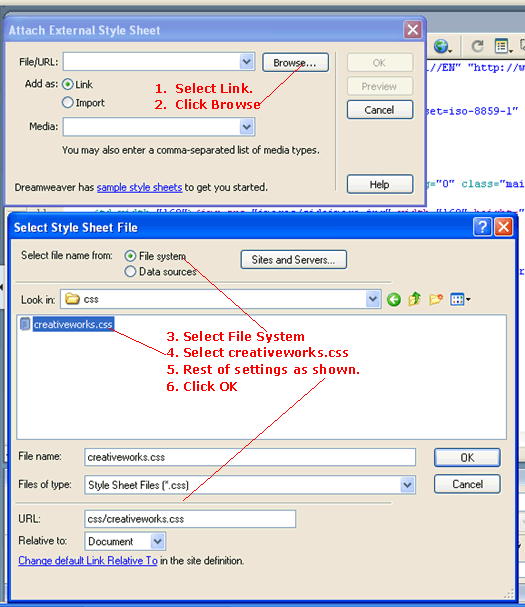
We are now going to attach the new external style sheet to index.html. With index.html as the active document, click the Attach Style Sheet icon. When the Attach External Style Sheet dialog comes up, follow these steps...
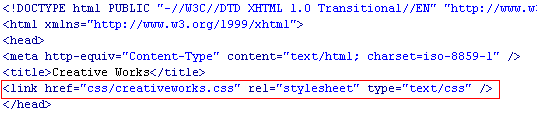
And finally, click the OK on the Attach External Style Sheet dialog. In the code view of index.html, see that Dreamweaver has added an <link> tag that references our external style sheet creativeworks.css.
Test and see that our page works just as before. Only now we have separated the presentation (the CSS styles) from the content (the HTML file) -- which is a good thing. Because now we can clone index.html into the other three pages. Duplicating the Pages
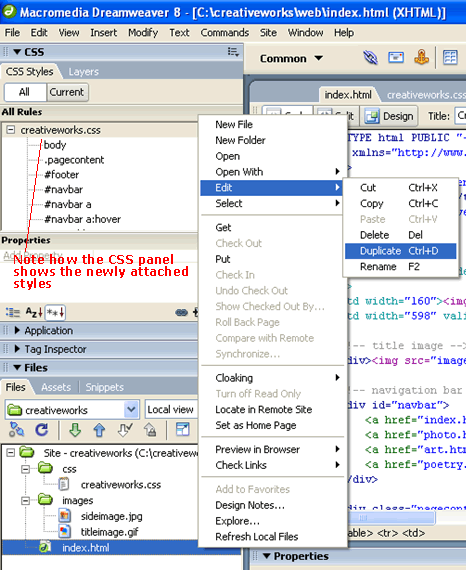
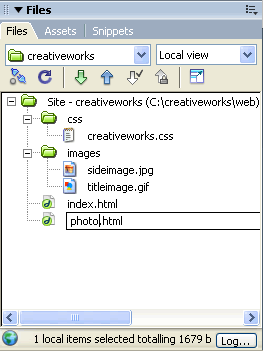
Select the index.html file in the Files panel and right-click to select Duplicate as shown above. Then rename the duplicated file to be photo.html.
Do the same to obtain art.html and poetry.html. Your Turn to Add ContentNow just have fun with it and and your own content to these three new pages. Here is what I have... Download: code6.zip Notice that the "Photo" page is a bit longer than the other pages. The layout of the automatically expands appropriately depending on the content of the page. NextCurrently our page is fixed to the left side of the browser window regardless of how wide the user expands his/her window. The final step in the next lesson is to make the page content be horizontally centered across the browser regardless of the user's browser width. Next Lesson: Centering Page Content ->
|
 |
 |
| Roadmap | Lessons | Tutorials | Videos | Books | Links | About |
|
|