|
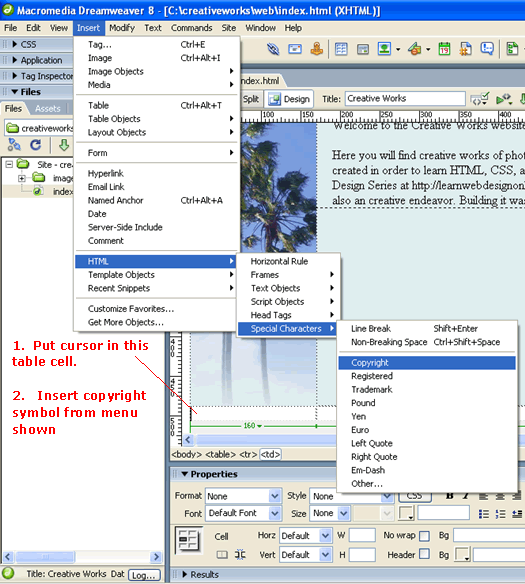
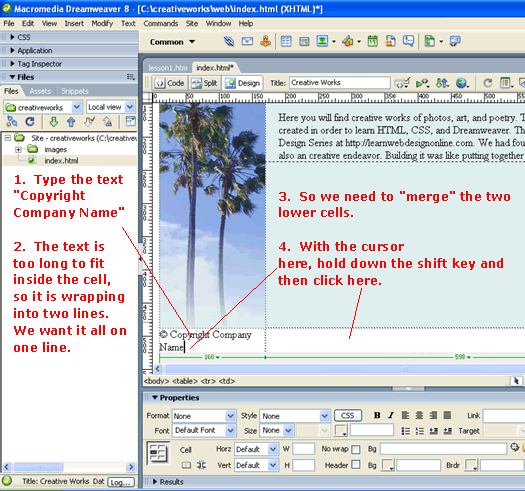
Adding the FooterThe next thing that we'll do is to add a the black footer seen above. Open up index.html in the Design View. In the lower left hand table cell, we want to insert the copyright symbol...
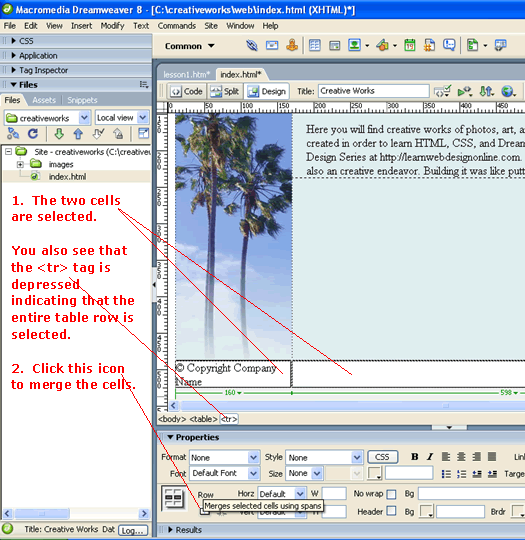
So now the two lower cells are selected as shown below.
Click the "merge cell" button and the two cells become one as shown below...
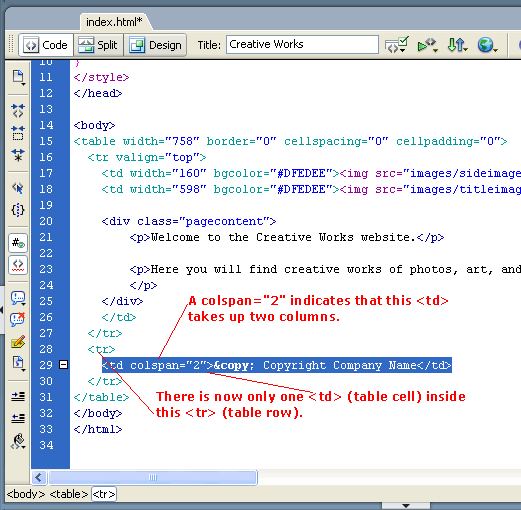
Switching to code view, we can study the HTML code that made this happen...
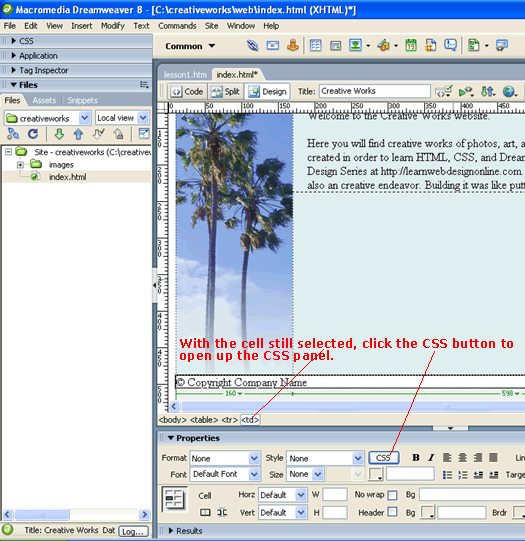
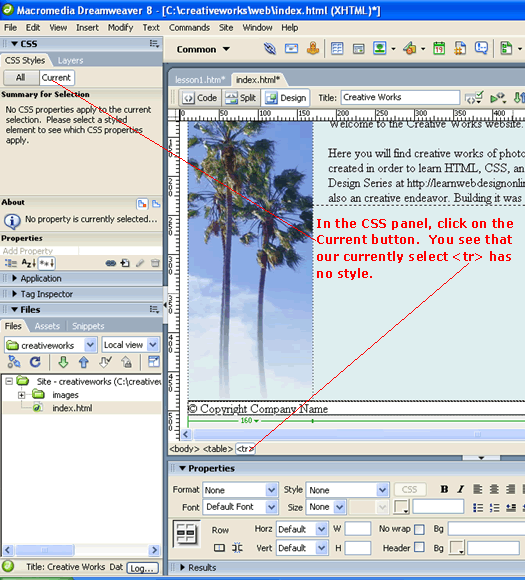
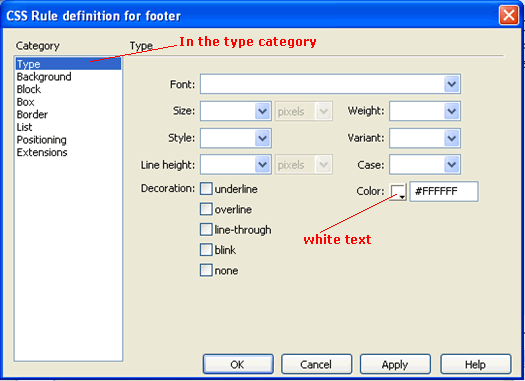
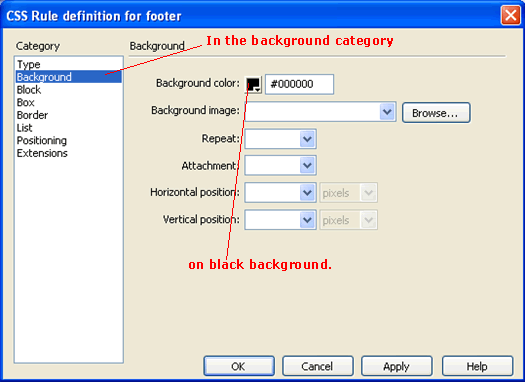
We want to have the footer be white text on a dark background. Switch back to the design view so that we can stylize the footer...
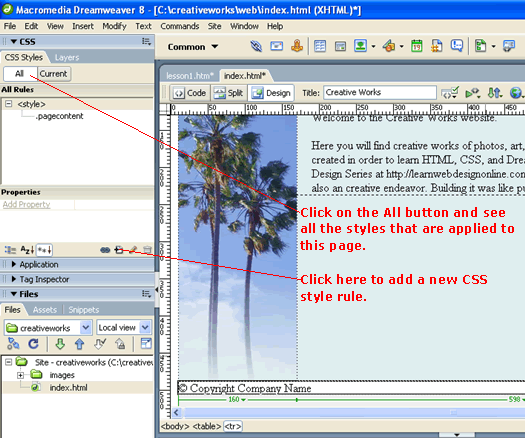
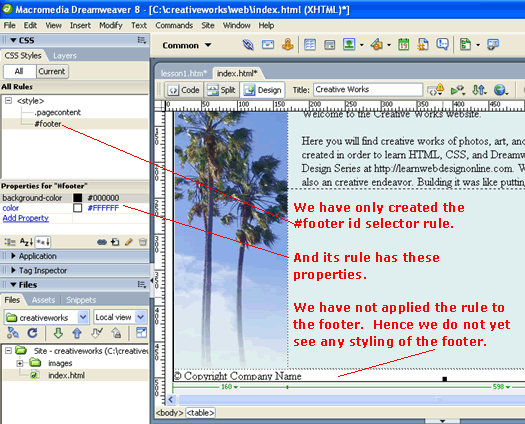
When you click the "All" button of the CSS panel, you will see all the CSS rules for the page. See below picture. If you recall, the we had created the pagecontent class in the HTML/Dreamweaver course. The dot in front indicates that this is a class selector rule.
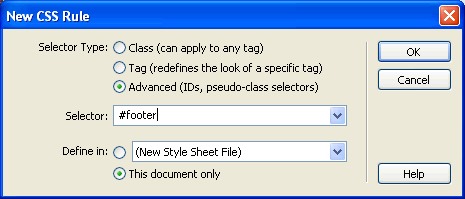
After clicking the "Add CSS Rule" button, you get the dialog shown below. This time, we will learn about the id selector rule, so select the "Advanced" selector type and type #footer for the selector. The # symbol in front indicate that this is to be an id selector.
Since the last class, we were using an internal style sheet, we will continue to use this internal style sheet for this rule. Therefore, select "This document only" and then click OK. Then select white on black for the CSS rule definition as shown below...
And click OK.
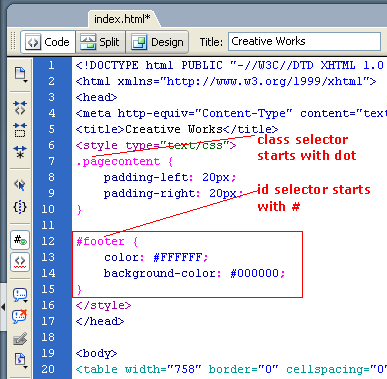
Now switch back to the code view, and see our id selector rule in the internal CSS styles section.
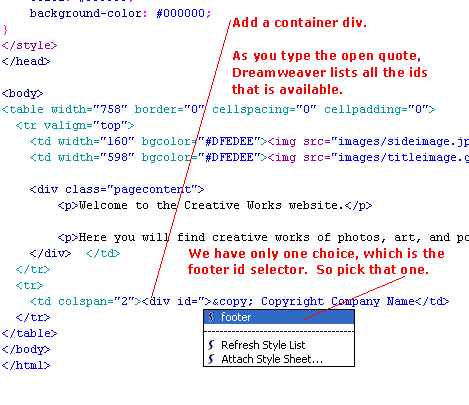
Now we want to attach the #footer style to our footer text. Start adding a <div> tag around our footer text and give it an id attribute as shown below.
After selecting the footer id selector and closing the div tag, you should have something like this...
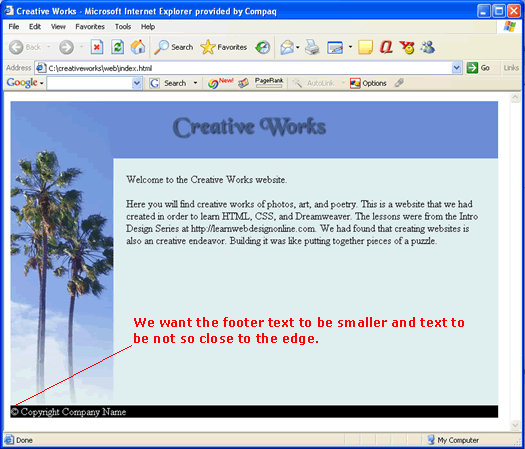
Now you may wonder, when do you use a class selector and when do you use an id selector. The main difference is that an id value can only be used once in the entire page; whereas the class value can be used many time for any element. So if the div tag above has an id of footer, then no other element on that page can have an id="footer" attribute. Class attributes are different. Even though you already have a <div class="pagecontent">, you can also add other <div class="pagecontent"> anywhere else. And in fact you can add the class="pagecontent" attribute to any element, not just div's. So you can have <td class="pagecontent"> for example. So to summarize, use the id selector for unique elements such as footer. You know you will only have one footer in the page. Any other time, use the class selector. Testing in your browser, you see that we have a stylized footer...
Download: code2.zip In the next lesson, we will stylize the text. |
 |
 |
| Roadmap | Lessons | Tutorials | Videos | Books | Links | About |
|
|